Trace a cascade
See what a retirement, a platform move, or a merger cut reaches before anyone commits.
The Cascade traces a change through everything in its path: the platforms, applications, capabilities, initiatives, outcomes, and goals that depend on it. You see the blast radius, and why each item is at risk, before anyone commits.
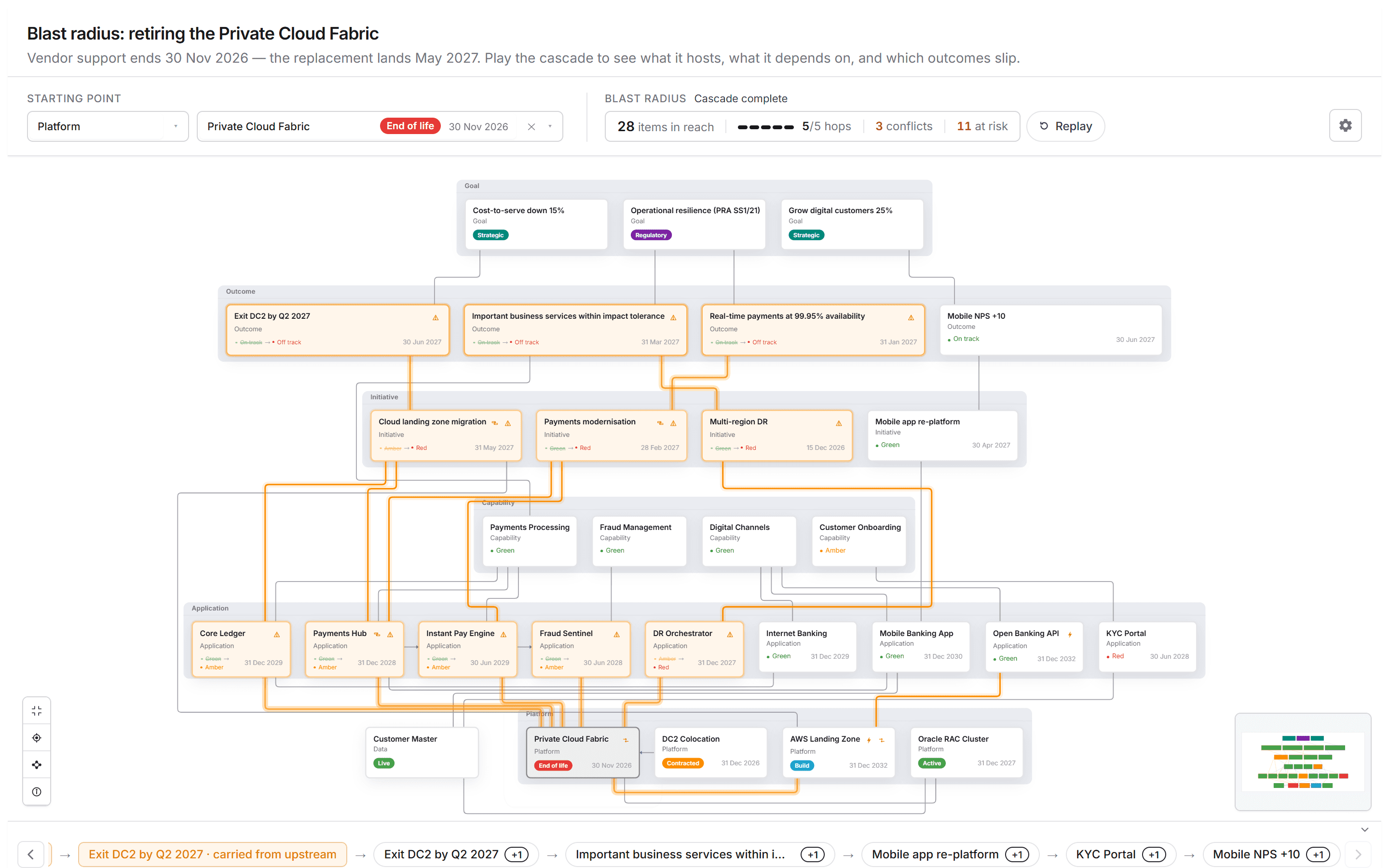
Get a cascade
- In a chat with your architecture and delivery sources connected, ask what a change would reach: "What breaks if we retire the private cloud platform in November?"
- The agent draws the graph and plays the change through, hop by hop.
- Read the findings, then steer: "Start from the data centre exit instead", "Which outcomes slip?"
To see the shape first, ask "Show a cascade impact demo". The sample sets include retiring a private cloud platform, a VMware exit, an SAP ECC to S/4HANA move, and a set of regulatory deadlines.
Read the graph
- Starting point picks the change to play through: a type, then an item.
- Blast radius counts the items in reach, the hops played, the conflicts, and the items at risk. Pause stops the playback; Replay runs it again.
- Hover a flagged card to see why it is flagged: the chain of causes, down to what was observed. A finding lists every cause, not only the first.
- Hover any other card to see how the change reaches it.
- The bar along the bottom tells the cascade as a story, one step at a time.
- The controls on the left fit the view, centre on the starting point, and open How to read this graph, which explains each line and highlight. The overview in the corner shows where you are on a large graph.
The Configuration panel shows the graph's rules in plain words: what each kind of relationship does to the impact (carry it on, weaken it, or stop it).
When the picture is ready, turn it into a Decision brief to put the options in front of the people who decide.
See also: Create a roadmap · Map a landscape.