Create a board
Turn a portfolio conversation into one Kanban board the organization can decide from.
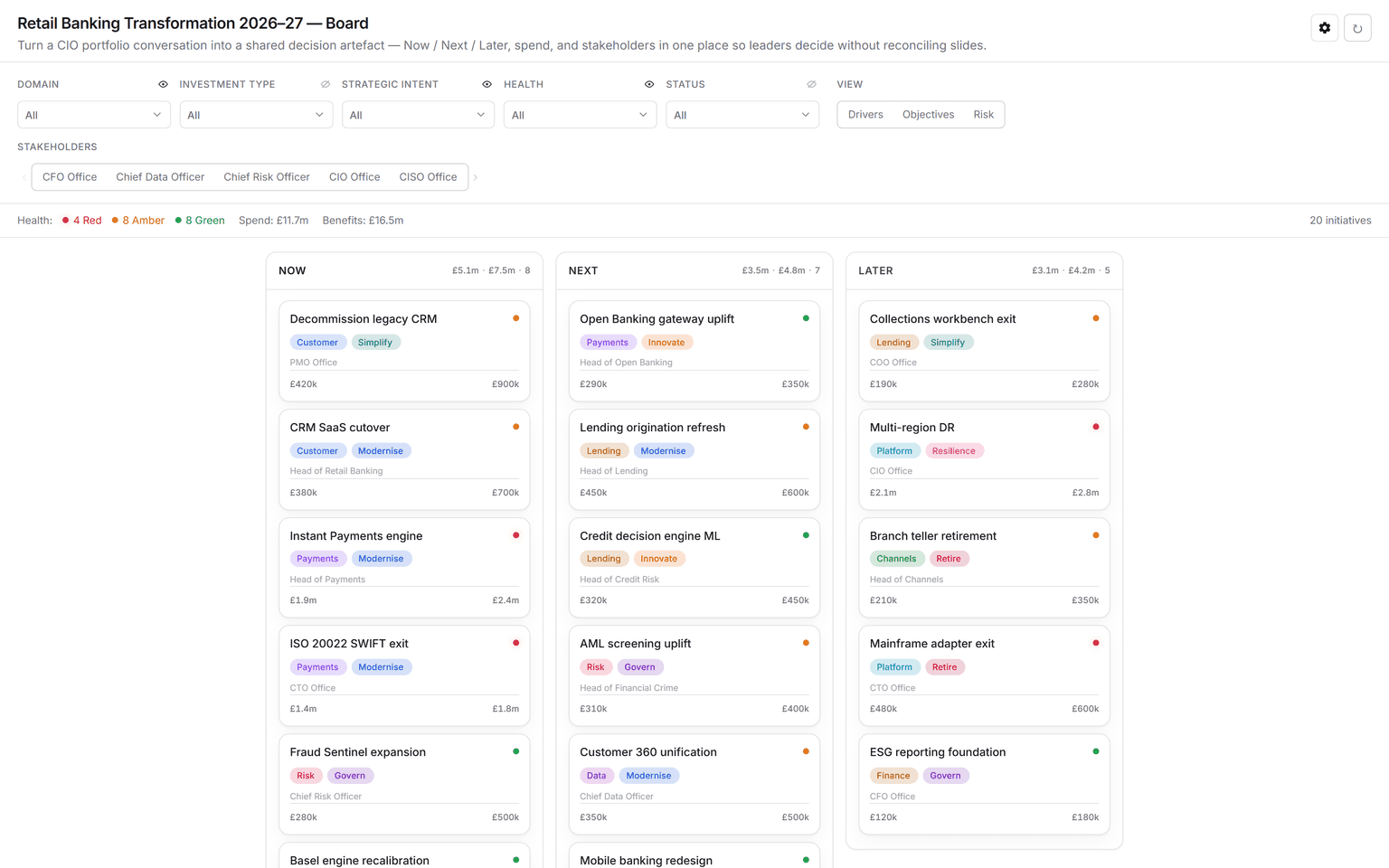
You don't need another slide deck for the portfolio question. In Studio, the conversation ends in a live Kanban board, such as initiatives across now, next, and later, with owners, health, and spend. The agent draws it on the Stage from your connected sources.
Get a board
- In a chat, ask for the board you need: "Show our transformation portfolio as a now, next, later board, with health and spend." Connect the sources it should read first, such as your EA repository or delivery tracker.
- Review it on the Stage. Steer until it answers your question: "Group by domain", "Only show red and amber", "Add the business owner to each card".
- The board is saved under Artifacts. Come back to it, present it, or build a roadmap from the same portfolio.
To see the shape first, ask "Render a sample kanban board", or preview the Kanban app from Integrations → Apps.
Read and filter
- Filters across the top narrow the board by the fields on its cards, such as domain, investment type, strategic intent, health, or status. The eye icon beside a filter shows or hides that field on the cards.
- View switches how cards are tagged, for example by driver, objective, or risk.
- The summary line counts health and totals the money on the cards in view. Each lane shows its own totals.
- Select a card to open its details.
- Clear resets the filters and the view.
When the board is the answer, bring it to the next steering meeting instead of a deck. When the context moves, reopen it rather than starting again.
See also: Create a roadmap · Make a Decision brief.