Charts and tables
Answer "where should we start?" with a quadrant, bubble chart, bar chart, heatmap, or table drawn from your data.
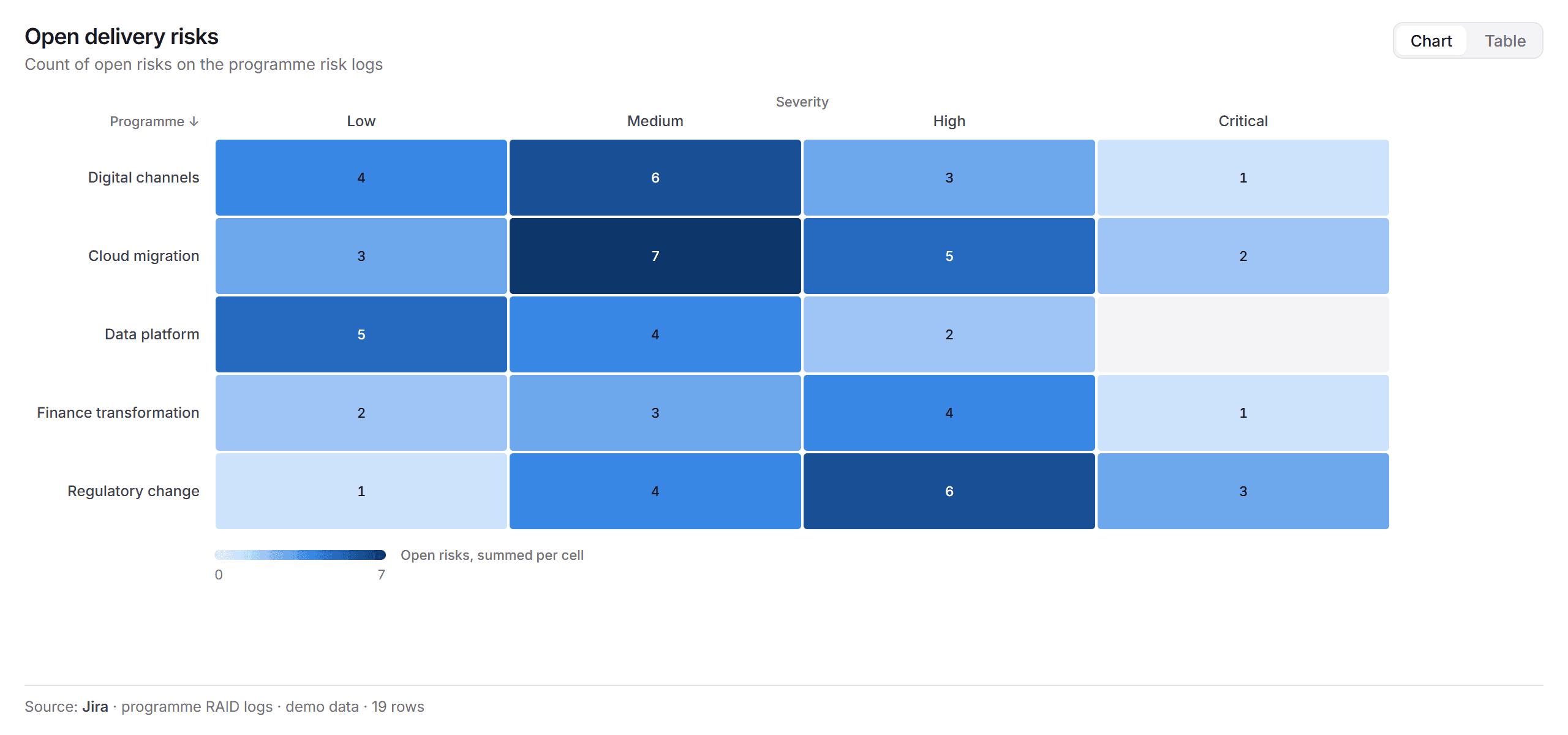
View draws a chart or a table from the data the agent has read: a value-against-effort quadrant, a risk-against-criticality bubble chart, a budget by programme, a heatmap of open risks by programme and severity. Every chart names its source, so the reader knows where the numbers came from.
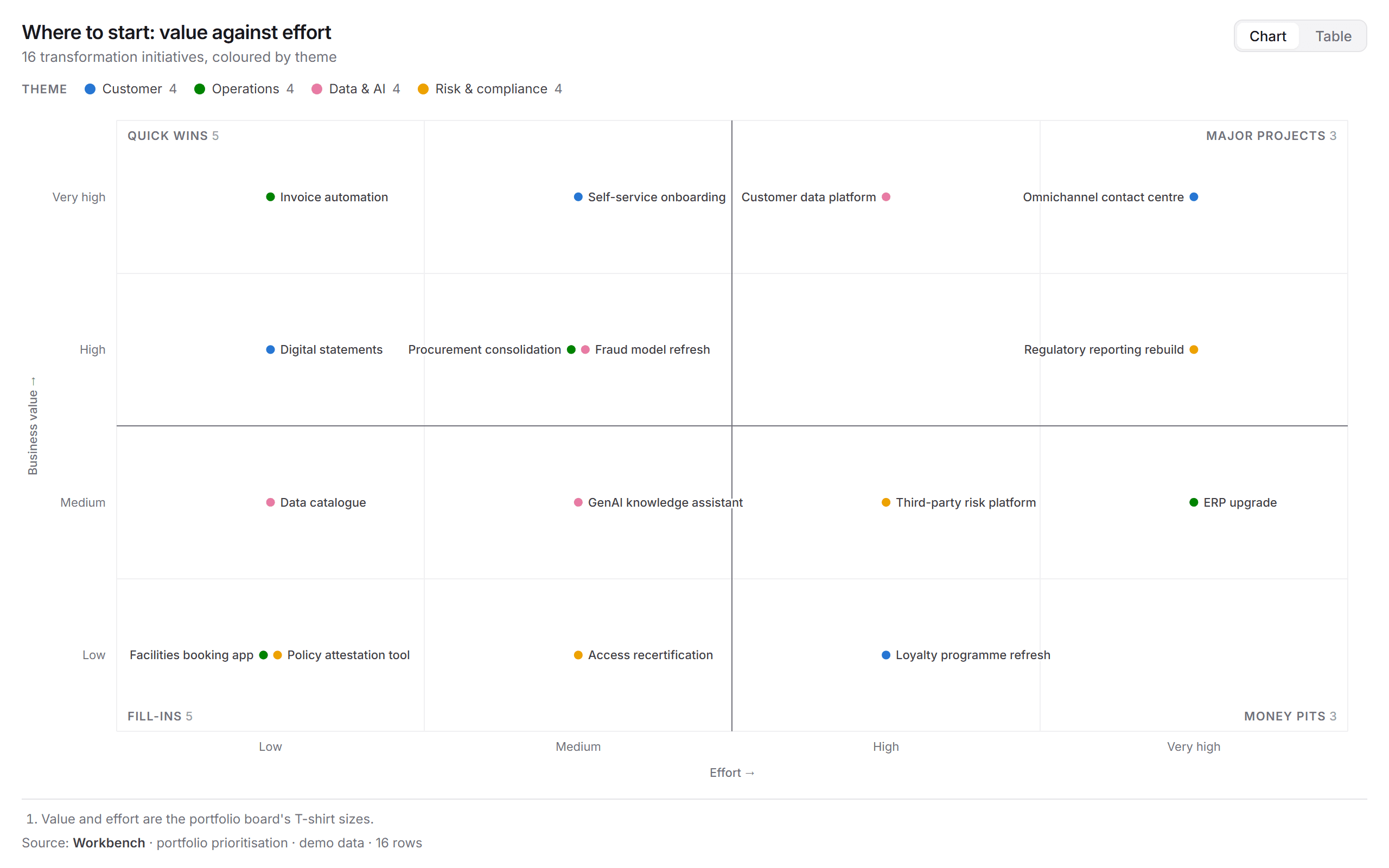
Chart types
| Type | Good for |
|---|---|
| Quadrant | Placing items on two measures, such as value against effort or a TIME assessment (tolerate, invest, migrate, eliminate) |
| Bubble | Adding a third measure as the bubble size, such as spend |
| Bar and stacked bar | Comparing totals, such as budget by programme or applications by lifecycle |
| Heatmap | Counts or scores across two dimensions, such as open risks by programme and severity |
| Table | The rows behind any chart |
Get a chart
- In a chat, ask the question: "Where should we start? Plot our initiatives by value and effort." Connect the sources it should read first.
- Review it on the Stage, then steer: "Colour by theme", "Size the bubbles by spend", "Show it as a table".
- The chart is saved under Artifacts.
To see the shape first, ask "Show a sample chart", or preview the View app from Integrations → Apps, which offers several sample charts.
Read it
- Chart and Table switch between the chart and the rows behind it.
- The legend at the top names each colour and counts the items in it.
- Footnotes and the source line under the chart say where the data came from.
See also: Map a landscape · Make a Decision brief.