Connect your sources
Bring your architecture, service management, and delivery systems into Studio as MCP connections.
Studio sits above the systems you already run. It does not replace them. When you connect a source, the agent can read it, trace across it, and, with your approval, write back to it. Everyone in your organization works from the same live picture.
Each source connects as an MCP server. A connection gives the agent tools to read and act, and some connections also bring apps: interactive visuals that open on the Stage. For more detail, see MCP tools & visual apps.
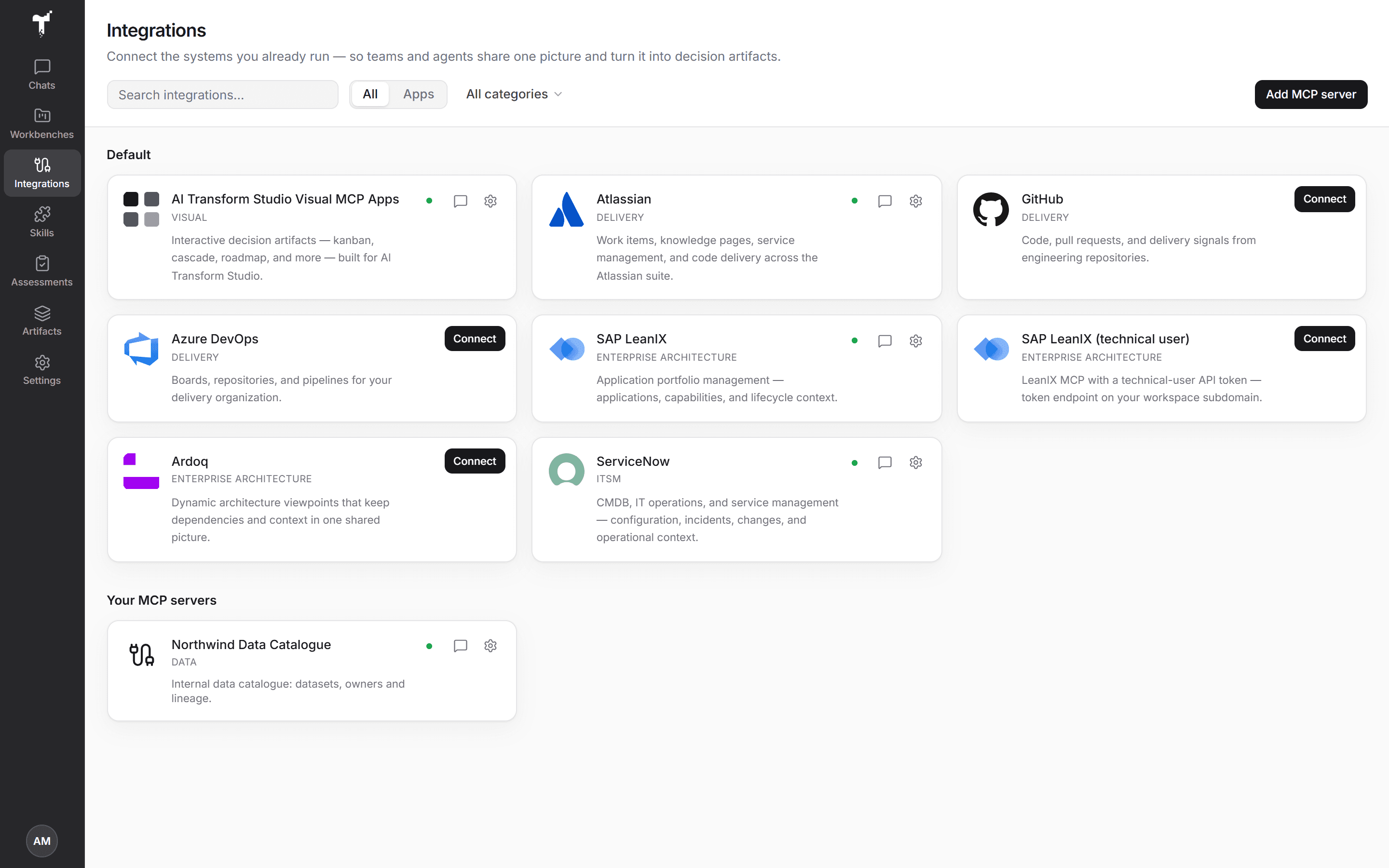
Connect a system
Only organization admins can connect or change integrations. Members see what is connected and can use it in their chats.
- Open Integrations in the rail.
- Find the system in the catalog and choose Connect.
- Sign in. Most systems offer Sign in with OAuth; some also accept an access token. Some ask for a detail first, such as your ServiceNow instance or your LeanIX subdomain.
- Choose Test connection. After a test, the dialog lists the Tools (and any Apps) the connection offers.
- Choose Save. Studio saves a new connection only after its test passes.
A connection is shared by the organization. One failing system does not stop the rest of Studio.
The catalog
| Category | Systems |
|---|---|
| Enterprise architecture | SAP LeanIX, Ardoq |
| Service management | ServiceNow |
| Delivery | Atlassian (Jira, Confluence, and more), Azure DevOps, GitHub, Linear, Asana, monday.com, Trello |
| Collaboration | Notion, Google Drive, Google Docs |
| Visual | AI Transform Studio visual apps (connected for every organization) |
Microsoft SharePoint, OneDrive, Teams, and Outlook Mail are marked Coming soon.
Which systems appear depends on what is enabled for your organization. If a system you need is not listed, contact us through Support in the account menu.
Your own MCP servers
Admins can also connect any MCP server their organization runs. Choose Add MCP server, enter its name and MCP URL, pick OAuth — Sign in or API token, add any headers the server needs, then test and save. Your own servers appear under Your MCP servers.
Try Studio with demo data
Studio offers demo sources for evaluation and training: a fictional retail bank's estate in SAP LeanIX, ServiceNow, Atlassian, and Ardoq, and AI agent inventories for governance reviews. They connect like any other source but hold only sample data. Ask us to turn them on for your organization.
Spreadsheets and exports
Data that lives in an export rather than a system can go straight into a chat. Add a CSV or Excel file to a message and the agent reads it into data it works with like a connected source. See Add files to a chat.
How the agent reads a source
The agent reads a source whole rather than one record at a time: it takes a list in one pass, keeps it to hand, and searches, filters and totals it in place. Runs on large estates are faster and cheaper for it. It follows references between records instead of guessing joins, and can link the same application across two systems by rule.
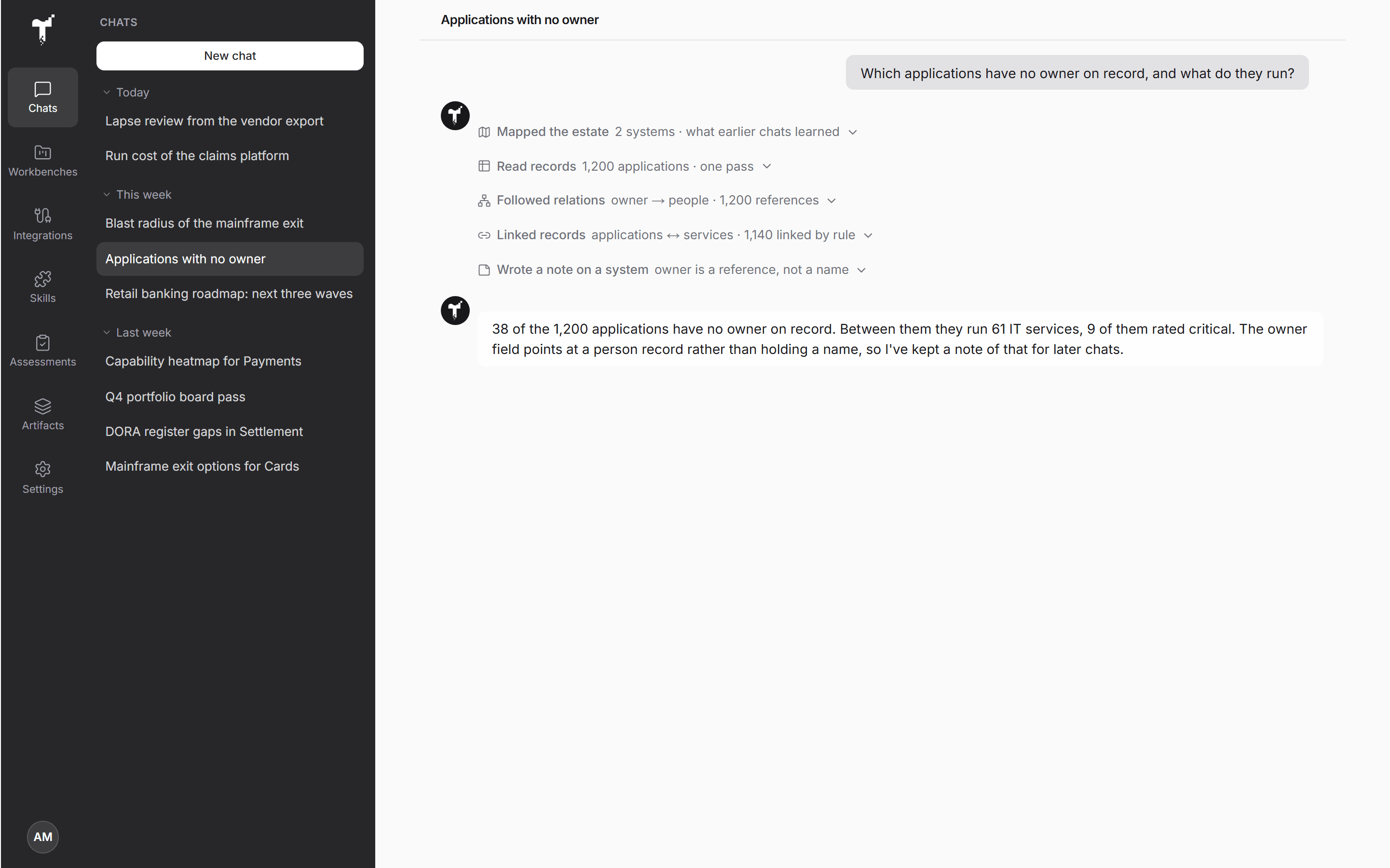
What a chat learns about a source is kept for your organization: how to read it, what its fields mean, and which lists point at which. Later chats start from those notes instead of working it out again. A list the agent holds shows how old it is, and the agent can refresh it from the source. An admin can turn this off under Organization settings → Features → Estate data access.
Use a connection in a chat
Choose Use in chat on a connected card, or open Plugins in the chat composer and switch on the connections the chat should use. See Co-create with agents.
Reads run on their own. Any change to a source system waits for your approval, unless an admin has allowed that connection to write without asking. See Agent harness.