Create a roadmap
Turn a sequencing conversation into one timeline the organization can decide from.
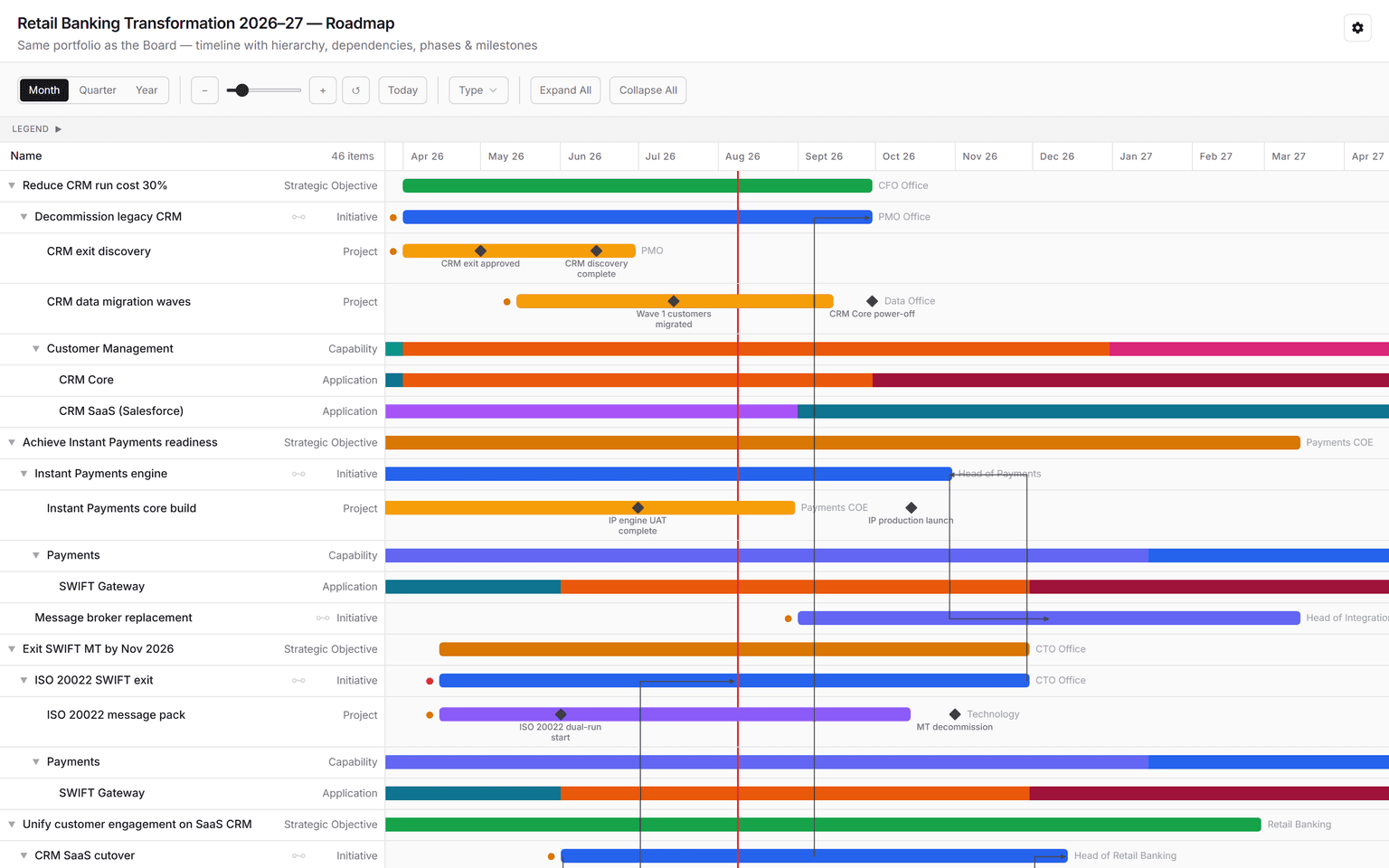
The Roadmap puts the programme on one timeline: strategic objectives, the initiatives and projects that deliver them, the capabilities and applications they change, and the milestones and dependencies between them. Business and IT read the same picture, and everyone can see what slips if one branch moves.
Get a roadmap
- In a chat, ask for the roadmap you need: "Build a roadmap for our CRM exit and instant payments programme, with dependencies and milestones." Connect the sources it should read first.
- Review it on the Stage, then steer: "Show it by quarter", "Add the ISO 20022 milestones", "Which items conflict?"
- The roadmap is saved under Artifacts, ready for the next steering meeting.
To see the shape first, ask "Build a sample roadmap", or preview the Roadmap app from Integrations → Apps.
Read and explore
- Time scale switches between month, quarter, and year. Zoom with the slider and the + and − buttons, and choose Today to jump to the current date.
- Type filters the item types shown, such as objectives, initiatives, projects, capabilities, or applications.
- Expand All and Collapse All open or fold the hierarchy.
- Legend explains the colours, including lifecycle phases on capabilities and applications.
- Lines show dependencies. Where two items conflict, a marker explains why.
- Select an item to open its details.
When the context shifts, reopen it rather than rebuilding it.
See also: Create a board · Trace a cascade.