Skills
Reusable playbooks that teach the agent your organization's method for a kind of work.
A skill is a playbook the agent follows for a kind of work, such as an application rationalisation pass, a capability heatmap, or an impact review. Skills capture your house method once, so every chat that needs it works the same way, without long prompts.
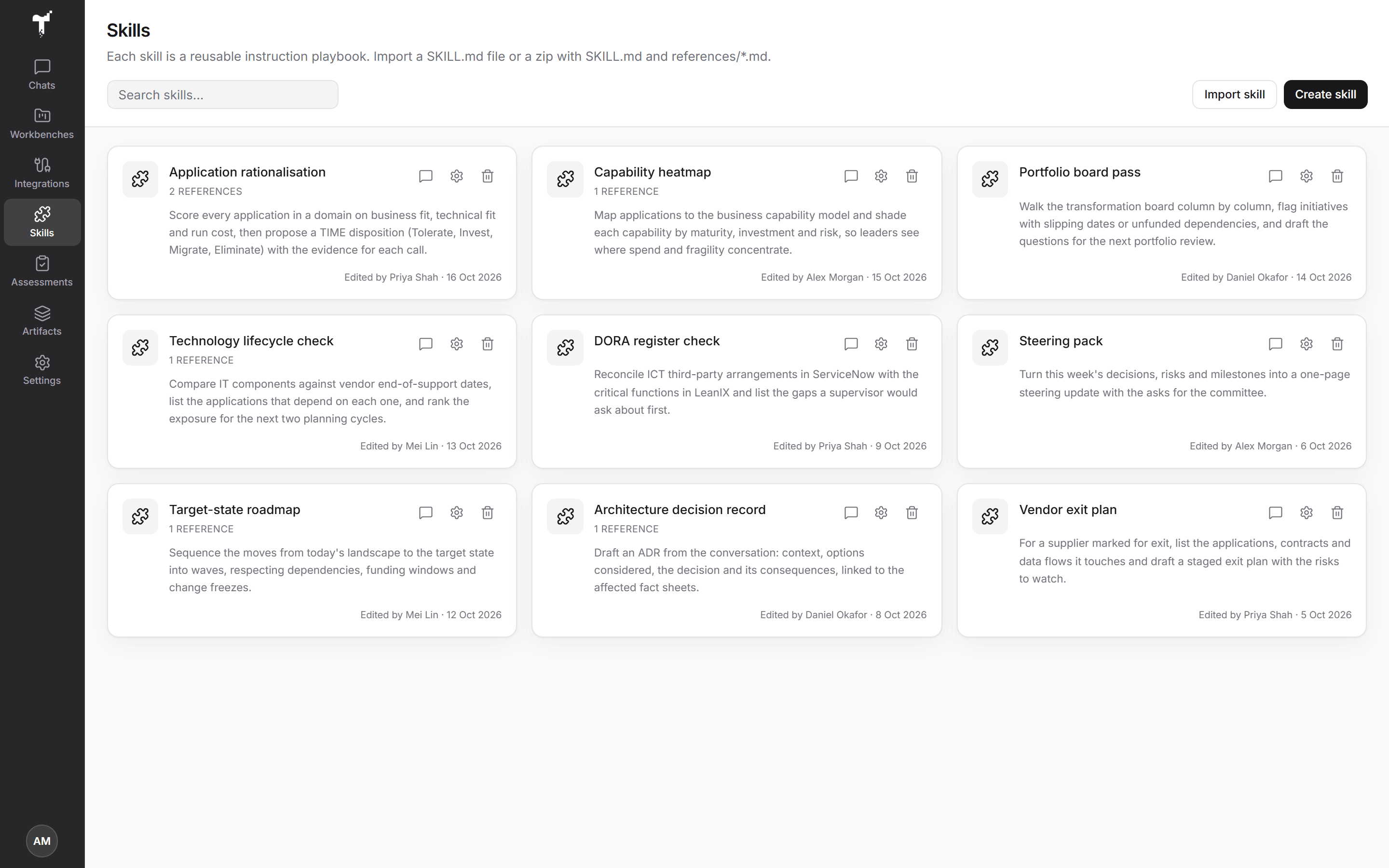
Create a skill
Open Skills in the rail.
- Create skill opens the editor. Give the skill a name and a short summary, write its playbook in
SKILL.md, and add reference files (notes, standards, checklists) with Add reference file. - Import skill loads a
SKILL.mdfile, or a zip withSKILL.mdand areferences/folder of Markdown files, when skill import is enabled for your organization.
Any member can create a skill. Only a skill's author or an organization admin can change or delete it. Ready-made skills are changed by organization admins. Everyone else can view and use them.
Use a skill in a chat
Skills are never applied to every chat automatically. Attach one when the work calls for it:
- Choose Use in chat on a skill, or switch it on under Plugins in the composer.
- Or pick one of its prompts under Starters. The skill is attached for you.
Some ready-made skills also carry checks that apply while they are attached, such as keeping a chat read-only. A skill can only add checks: it can never let the agent skip an approval.
Write good skills
- One job per skill. A focused playbook beats a catch-all.
- Say what good looks like: the sources to read, the visual to draw, and what to check before finishing.
- Put long reference material in reference files, and keep
SKILL.mdto the method.
Connections give the agent tools and apps; skills shape how it uses them. See MCP tools & visual apps and Co-create with agents.