Reopen, present and share
Come back to the same artifact when the question returns, present it, and share it, without rebuilding anything.
Artifacts outlive the chat that made them. Every board, roadmap, landscape, cascade, chart, and brief the agent draws is saved with its versions. They stay live: you can still filter them, explore them, and steer them. They are not slide exports.
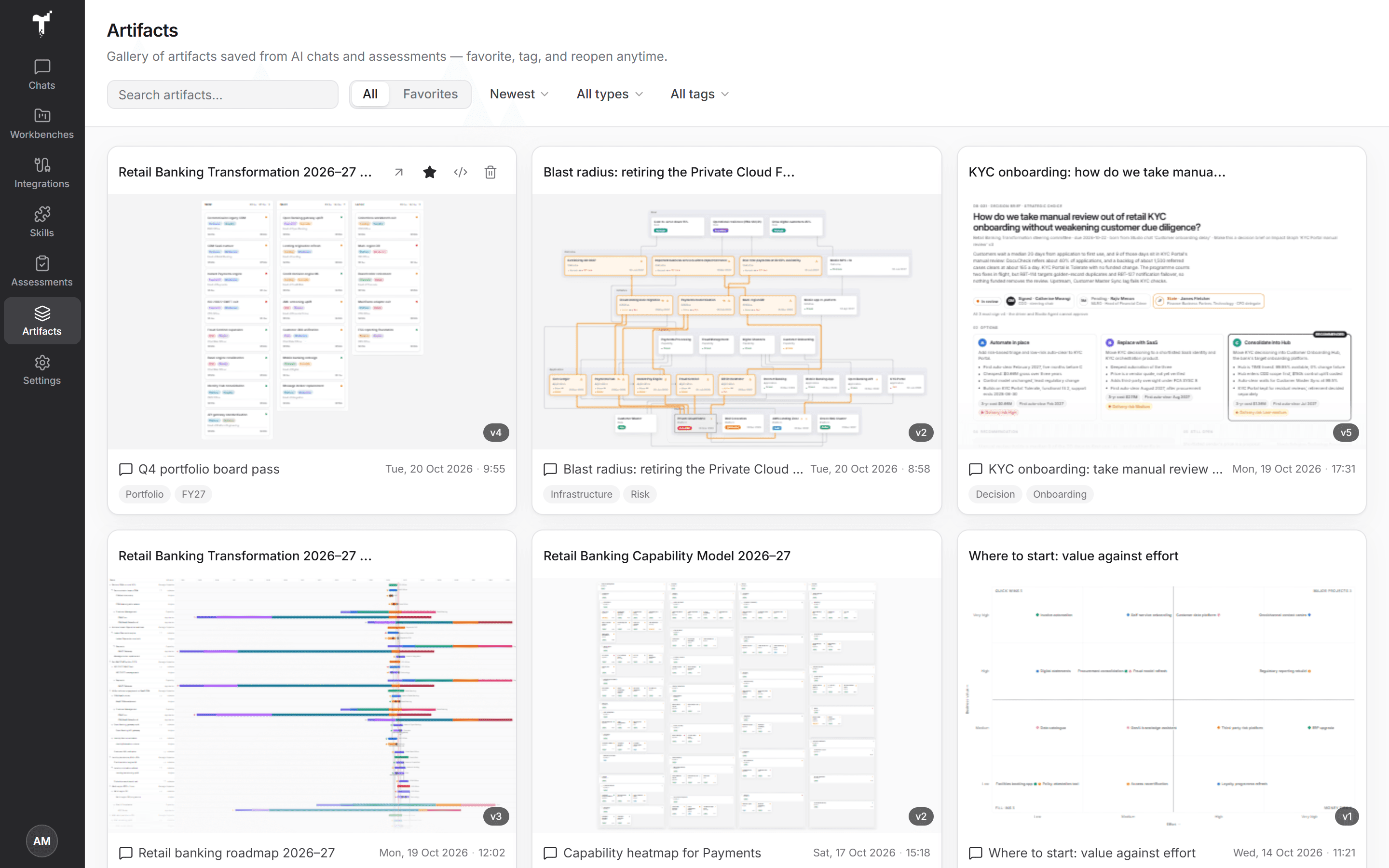
The Artifacts library
Open Artifacts in the rail to see everything your organization has saved from chats, workbenches, and assessments.
- Filter by All or Favorites, by type, or by tag, and sort by date, title, or favorites.
- Open a card to view it full size. From there you can rename it, add tags, pick a version under Select version, or go back to the chat or assessment it came from to keep working on it.
- Mark the ones you use often as favorites.
Versions
Each time the agent redraws an artifact, it saves a new version. On the Stage, Version and compare opens an earlier version, or shows two versions side by side, so you can see what changed.
Present
On the Stage, choose Present for a clean, full-screen view in a meeting. Exit present returns to the chat. A Decision brief has its own Download menu for Markdown, an editable PowerPoint deck, or the print-ready PDF pre-read.
Embed on a website
You can show an artifact on an intranet page, a wiki, or a SharePoint site. Viewers don't need a Studio account.
- Choose Embed on the Stage, or on an artifact in the library.
- Create embed link. Studio publishes the version that shows now.
- Copy link, or copy the embed code, choosing light or dark and a height.
- Optionally, list the Allowed sites that may show it, then Save sites.
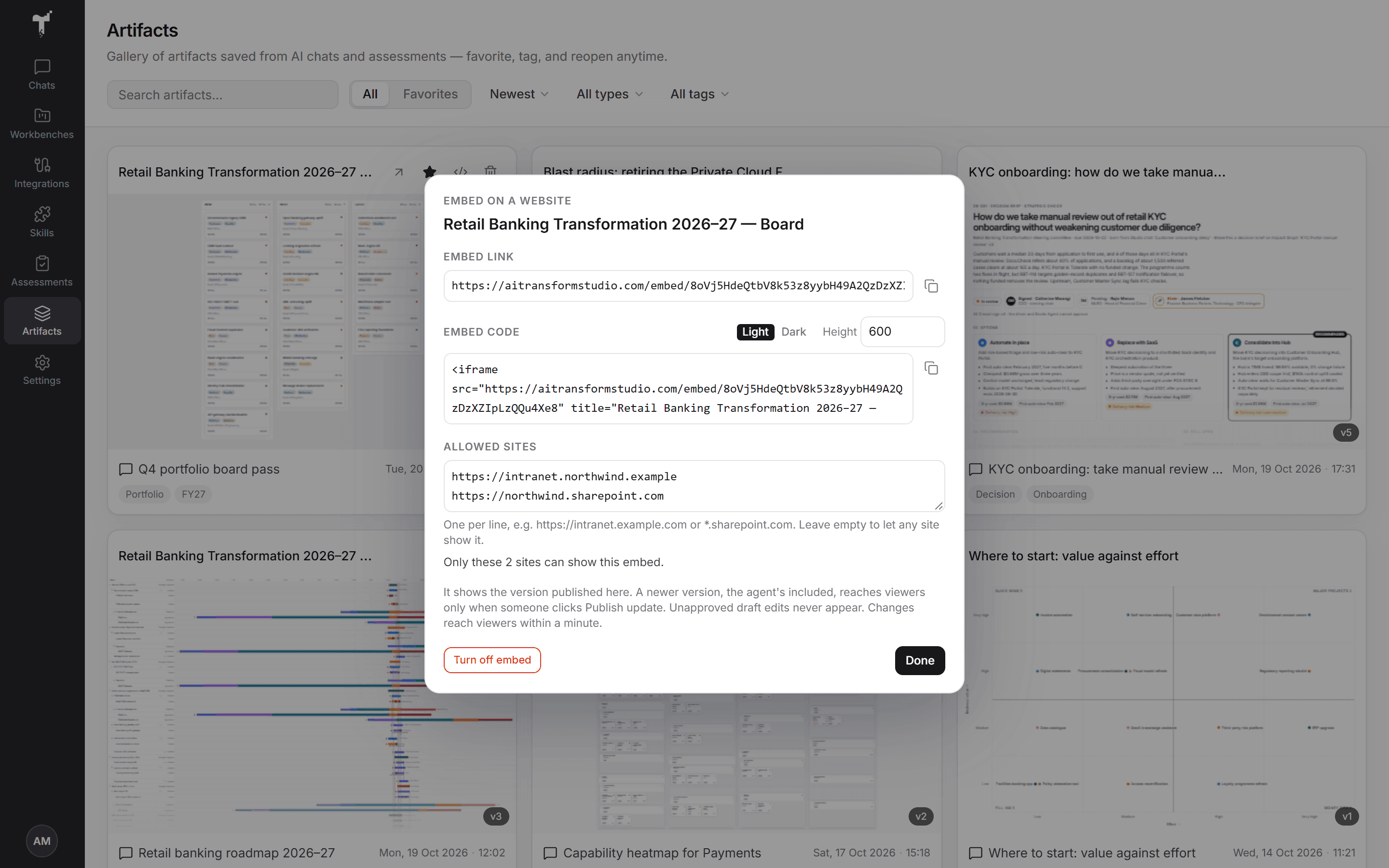
Viewers see a read-only artifact, never a draft, and nothing about the chat, the sources, or your organization. When the agent saves a newer version, viewers keep seeing the published one until you choose Publish update. An embedded Decision brief shows only its decision, once it is decided.
Turn off embed deletes the link. Turning it on again creates a new link, so old copies of the code stop working. An admin can switch embeds off for the whole organization under Organization settings → Features.
Keep one version of the truth
When the question returns, reopen the artifact instead of starting again. Ask the agent to refresh it from today's data, and the new picture becomes the next version, with the old one still there to compare.
For how the apps and connections fit together, see MCP tools & visual apps.