Connect your AI
Bring your own model providers, so Studio runs on your contracts and inside your boundaries.
Studio does not lock you into one model. Your organization connects the providers it already trusts, and members chat, run skills, and draw artifacts on those models. Model usage is billed by your provider, on your account.
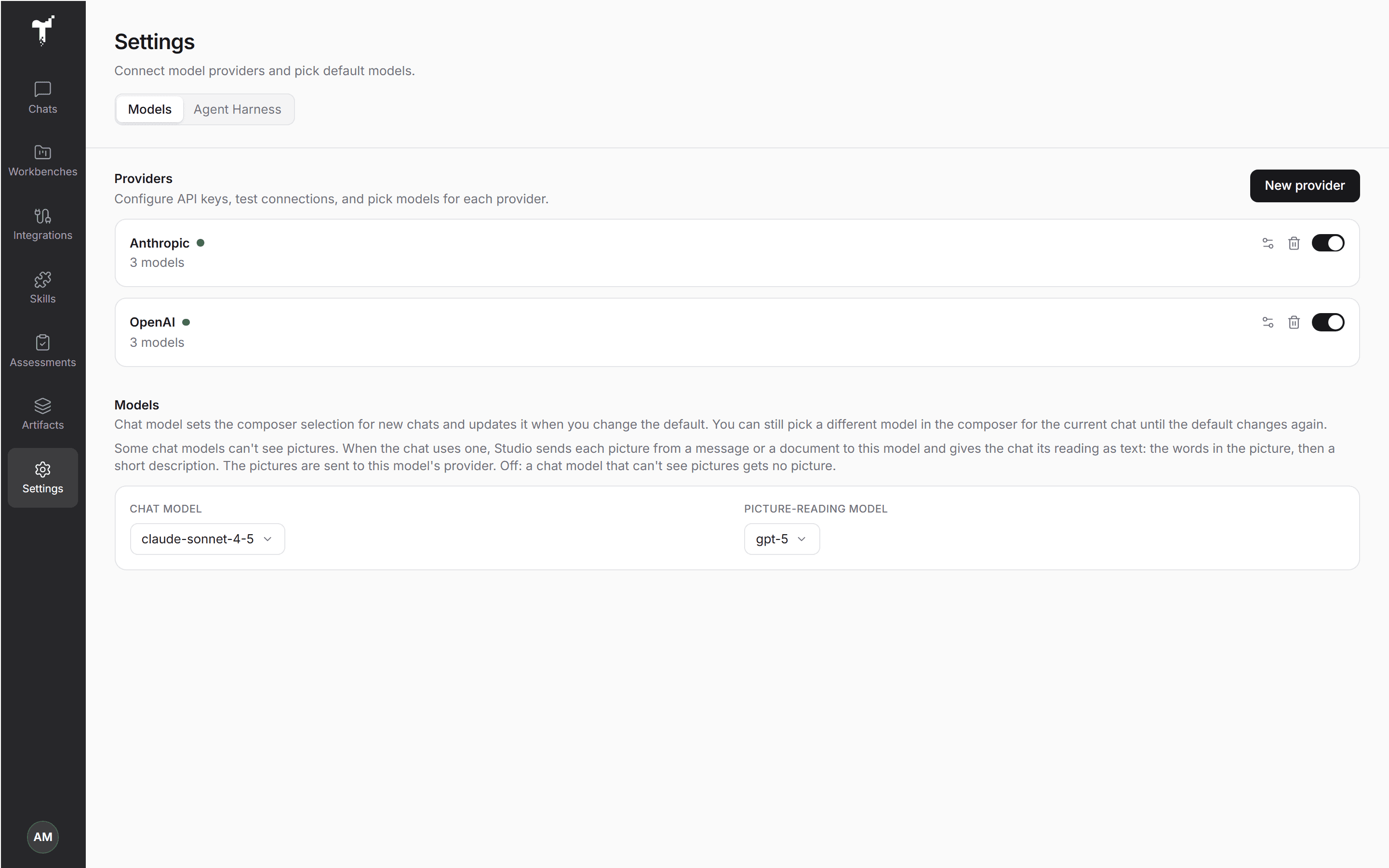
Connect a provider
Only organization admins can add or change providers.
- Open Settings in the rail, then Models.
- Choose New provider, give it a Name, and pick the Provider type: OpenAI, Anthropic, Azure OpenAI, Google, xAI, OpenRouter, or any OpenAI-compatible endpoint.
- Enter the credentials (and the Base URL where the type needs one), then choose Test connection. The test retrieves the provider's models.
- Under Enabled models, choose the models your organization may use, or add a model id by hand.
- Save.
Until a provider is connected, Studio opens on Bring AI into the room, so an admin can finish setup first.
Choose your model
Each member picks their default Chat model under Settings → Models, and can switch providers on or off for themselves. You can also change the model for a single chat from the composer's model picker.
Next to the chat model, an admin can set a Picture-reading model. Some chat models can't see pictures. When a chat uses one, Studio sends each picture from a message or a document to this model and gives the chat its reading as text: the words in the picture, then a short description. Only models that read images are offered. Leave it Off and a chat model that can't see pictures gets no picture. See Add files to a chat.
Why bring your own
- Your contracts. Use the providers and tiers your company has already approved.
- Your boundaries. Inference runs on accounts and routes you control.
- Your choice. Add or swap models without changing how the agent, the Stage, or your artifacts work.
Your provider keys are encrypted before they are stored, and they never enter the model's context.
Decision models
Studio Judge decides record by record. It runs on a decision model, which returns typed judgements, not text: an answer to the question you define, with a confidence. Assessments and judge stages in Workbenches use Judge, and an admin can also use it to check whether a long-running goal is really done (the Goal check). Judge runs on the first decision model you connect. Studio supports Jev, TypeSafe's decision model.
- Open Settings → Models and scroll to Decision models.
- Choose New decision model provider, enter the credentials, and pick the Model.
- Test it. The test runs a real decision.
Decision models never appear in the chat model picker.
Next: MCP tools & visual apps. Every chat runs on the agent harness.