Workbenches
Turn a recurring transformation job into staged steps your team runs with an agent, with a gate before each next step.
A workbench turns a job your team repeats, such as an application rationalisation or a design review, into a set of stages that run in order. Each stage has a brief: what it reads, what it does, what it writes, and what you check. The agent does the work, and a person passes each gate before the next stage runs.
Availability
Workbenches are available on request. Once they are available to your organization, an admin turns them on under Organization settings → Features, and Workbenches appears in the rail. The ready-made templates are turned on the same way, under Content packs.
Start a workbench
Open Workbenches. The Library tab holds the ready-made templates; Yours holds the workbenches your team runs.
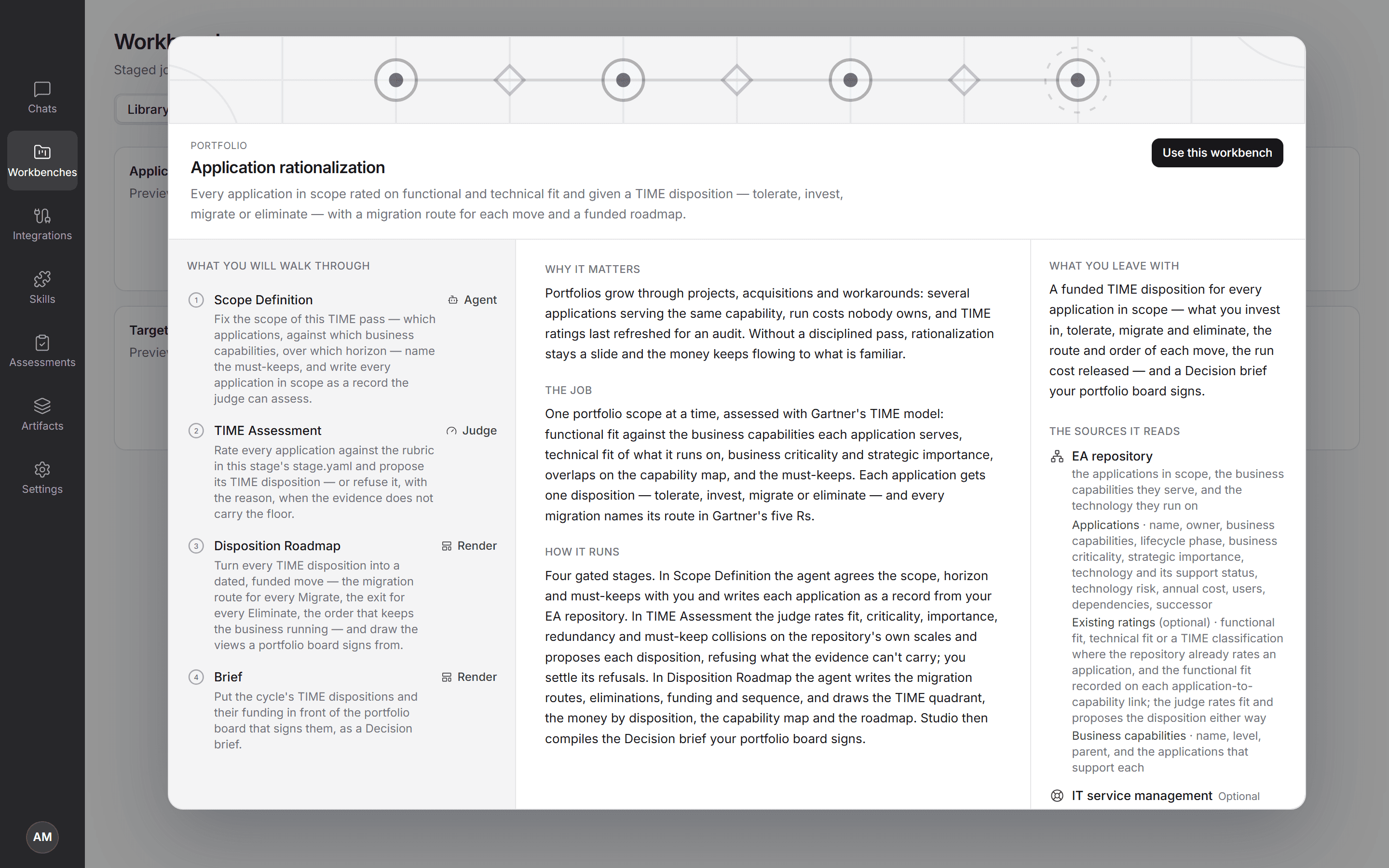
- Use a template when the job is a common one. Open a template to preview it: the stages it walks through, why it matters, and under What you leave with, the sources it reads by type with the data each must provide. Choose Use this workbench; the stages are already in place, so you can run it straight away.
- Design your own when the job is yours to define. On the Your transformation job card, choose Start the factory. The assistant asks what repeats, where you pause, and what done looks like. Answer in your own words. It proposes stages and gates and waits for your yes before it writes anything. When the design is complete, choose Use this workbench to start running it.
Templates
Each template runs a named method and decides in its discipline's words.
| Area | Template | Method | Decision |
|---|---|---|---|
| Portfolio | Application rationalization | Gartner TIME on functional and technical fit | Tolerate, invest, migrate or eliminate |
| Portfolio | End-of-support plan | Technology lifecycle against vendor support dates, ISO 31000 risk treatment | Upgrade, replace, retire, extend support or accept risk |
| Strategy & planning | Capability heatmap | Capability-based planning, Gartner pace layering | Invest, improve, sustain or standardise |
| Strategy & planning | Target state roadmap | TOGAF phases B to F: gap analysis and transition architectures | A phased, accelerated or minimum plan |
| Strategy & planning | Investment prioritization | Portfolio prioritization across Run, Grow and Transform | Fund, fund with conditions, defer or stop |
| Strategy & planning | Journey bottleneck review | Value stream mapping, Theory of Constraints | Options that release the constraint |
| Governance | Demand triage | Reuse first, architectural significance, approved patterns | Reuse, fast-track, design review or return |
| Governance | Design review | TOGAF compliance review, ISO/IEC 25010 | Approved, with conditions, with dispensation, or rejected |
| Governance | Architecture principles review | TOGAF principle form and quality criteria | Adopt, rewrite, merge or retire |
| Governance | Waiver register review | TOGAF dispensations | Close, renew, escalate or change the standard |
| Risk & compliance | AI risk register | EU AI Act risk tiers, NIST AI RMF, ISO/IEC 42001 | Approve, approve with conditions, suspend or decommission |
| Risk & compliance | Regulation evidence map | Obligation to control to evidence; design and operating effectiveness | Effective, partially effective, ineffective or not evidenced |
| Risk & compliance | Resilience self-assessment | PRA SS1/21, FCA PS21/3, DORA; severe but plausible scenarios played through the impact graph | Within tolerance to out of tolerance |
| Mergers & divestments | Merger integration plan | Integration approach per domain; Day 1, Day 100, end state | Adopt, migrate, replace, coexist or decommission |
| Mergers & divestments | Carve-out plan | Separation perimeter and transitional services | Transfer, clone and go, provide under a TSA, or retain |
Templates your organization hasn't turned on show as Coming soon.
Working in a room
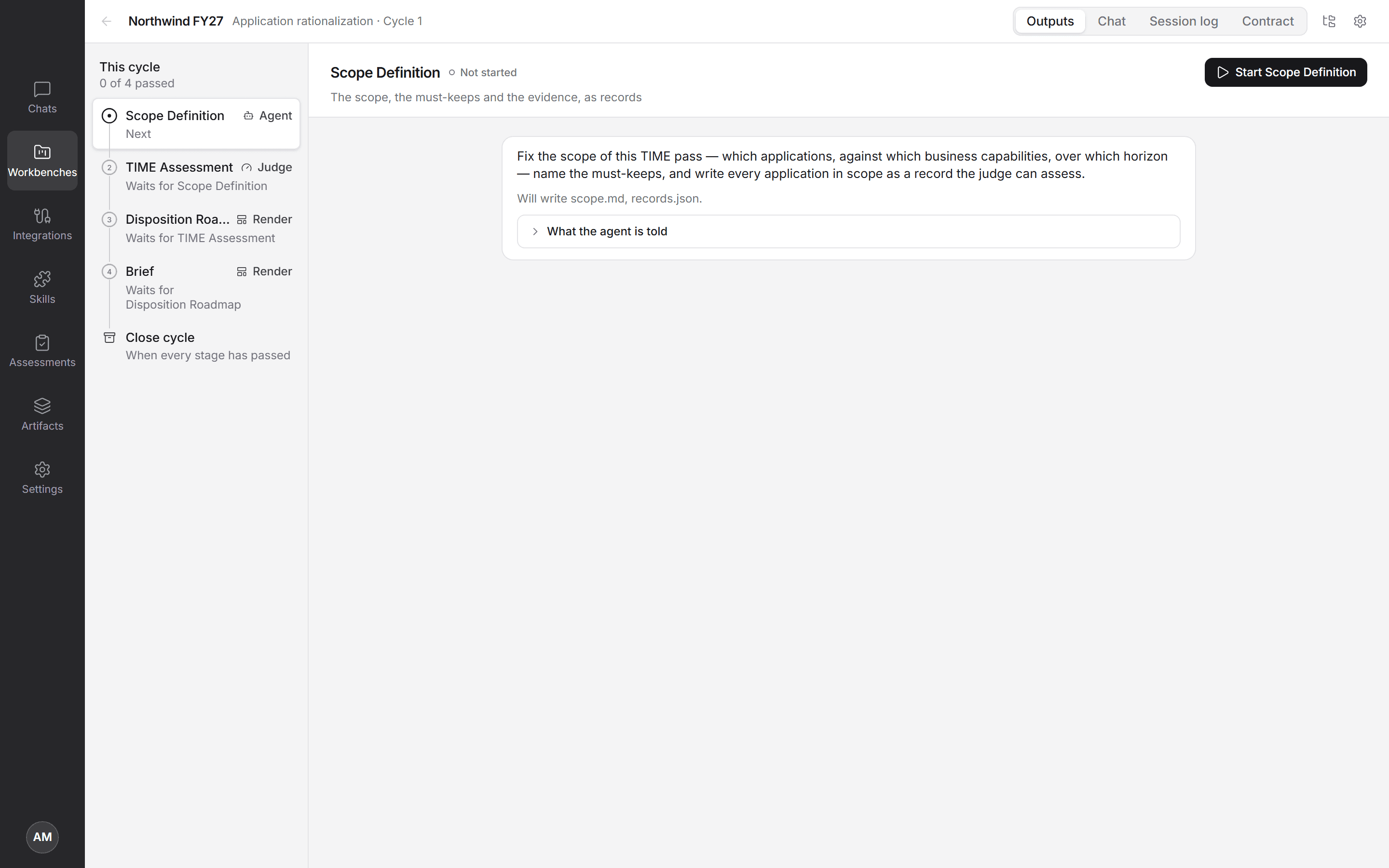
Each workbench opens as a room. The cycle's stages run down the left, each with who does it and what it is waiting for. The current stage fills the middle, with tabs for its Outputs (or Verdicts on a judge stage), any Visuals it drew, the Chat with the agent, the Session log, and the stage's Contract: what it may read, write, and call.
Every message you send acts on the current stage, the first one that hasn't passed. Read or edit the stage's output (that is the gate), then move to the next stage. On a judge stage, you work through the records the judge refused, settling or escalating each one, and the stage passes when none are left.
Setup questions are asked once and kept with the workbench, so later visits don't ask again. In the workbench's Settings, the Connections tab is where you turn on the MCP servers its runs may use, choose their tools, and switch web search on or off. Below them it lists what else every run in the room can use (workbench files, sub-agents, the judge, the visual apps, Decision briefs and code), with whether each is on for your organization. Access lists who passed each gate this cycle, and Audit the workbench's history.
What a workbench may do
A workbench holds two kinds of file. The briefs (AGENTS.md, and each stage's CONTEXT.md) tell the agent how to work. The manifests say what it may do, and Studio enforces them on every run:
job.yamllists the sources the workbench reads and which of their tools, whether web search is on, Judge's confidence floors, whether code may run, and what Studio adds on its render stages (the visual apps it may draw with, and whether it may make a Decision brief). A template names each source it needs by type, such as an EA repository or IT service management, with the data it needs from it (applications with their owners, lifecycle and cost, say), but no connection. In Settings → Connections, link whichever of your connections holds that data, SAP LeanIX or Ardoq for an EA repository, for example; the ones that fit are listed first. Until a required source is linked, the stages that read it wait and say which one to connect.stages/<stage>/stage.yamlsays who does the stage (engine), when it stops for you (gate), what it reads and writes, and the tools and skills it may use. A stage can only narrow whatjob.yamlallows, never widen it.
A run sees only the connections and tools its stage allows, and it can write only that stage's outputs. It can never change the briefs, the manifests, or the skills. If a manifest has a problem, the stage won't start, and Studio shows where to look. Open a .yaml file to read it as policy, or choose Edit to change it and see problems as you type.
Who does a stage:
| Engine | What happens |
|---|---|
agent | The agent does the stage, within its tools and outputs. |
judge | Studio Judge decides every record in the stage's records file against the stage's rubric. Anything under its confidence floor is refused with a reason; you settle or escalate those, and the stage passes when none are left. |
human | You do the stage. Its button opens the output for you to write. |
render | The agent draws the stage's visual. |
script | A reviewed script runs in a sandbox. Off unless your organization allows code in workbenches. |
When a stage stops for you: always (you read the output to pass it), on-refusal (only for records Judge refused), on-fail (only if an output is missing), or never.
Cycles
Each stage shows its state: Not started, At the gate, or Passed. With the default gate, the agent's output puts the stage at the gate, and Mark as read in the file view passes it.
When every stage has passed, Close cycle at the foot of the stage list becomes available. Give the cycle a name: its outputs are archived with the workbench, and the stages clear for the next cycle. Closed cycles stay readable, and a cycle never closes by itself. The latest visual stays with the workbench, so it is there the next time you open the room.
Next: for open-ended questions, co-create in a chat. To judge a slice of your estate record by record, use Assessments.